Edit offline.
Export in 4K.
A complete multi-track video editor that runs on your own PC. Captions, effects, Urdu and English text, voiceover and export, with no account, no uploads and no watermark.
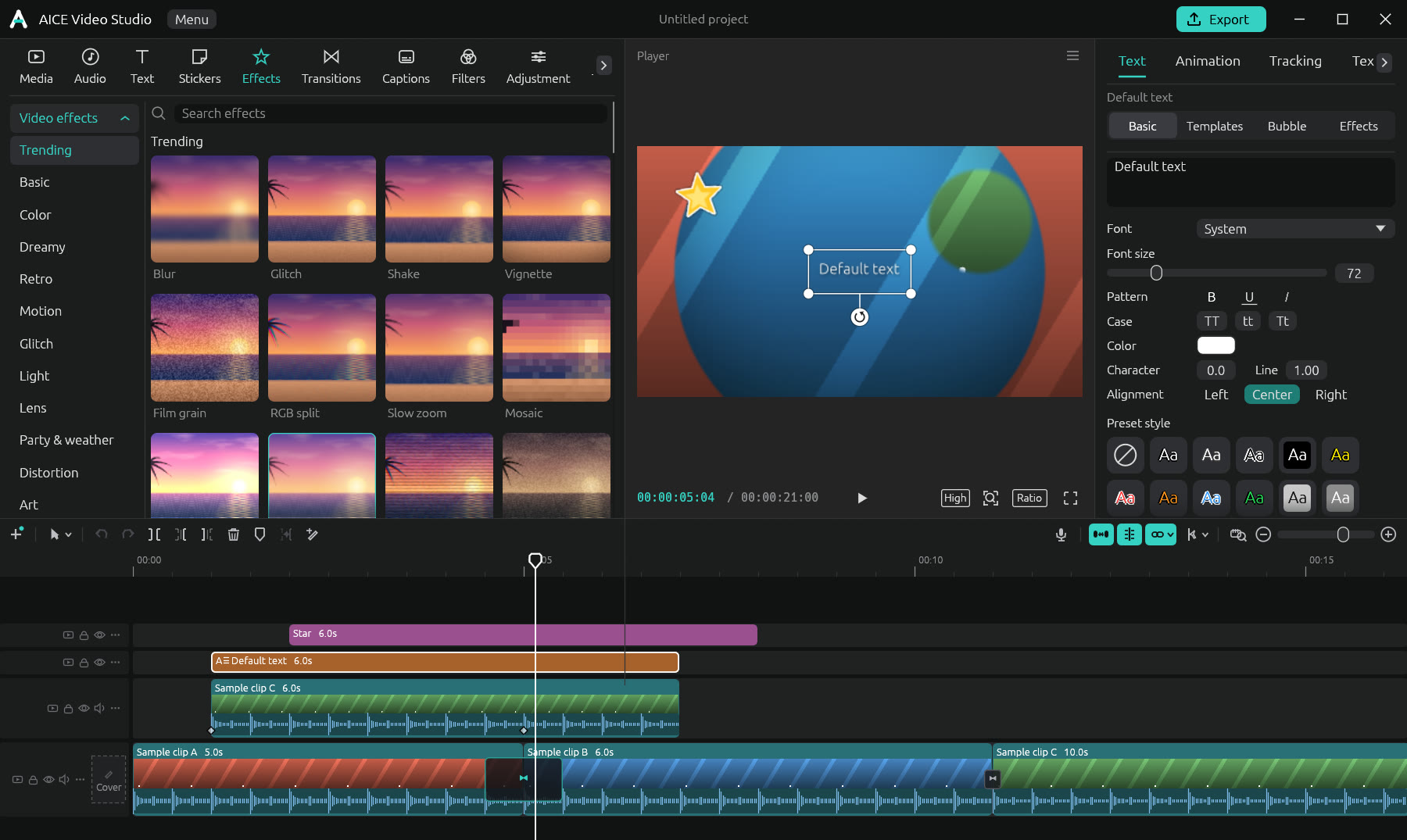
Your footage never leaves your computer. Speech recognition, background removal, voices and export all run locally, so it works on a plane, on slow internet, and on client work you can't upload.
Everything to
finish the video.
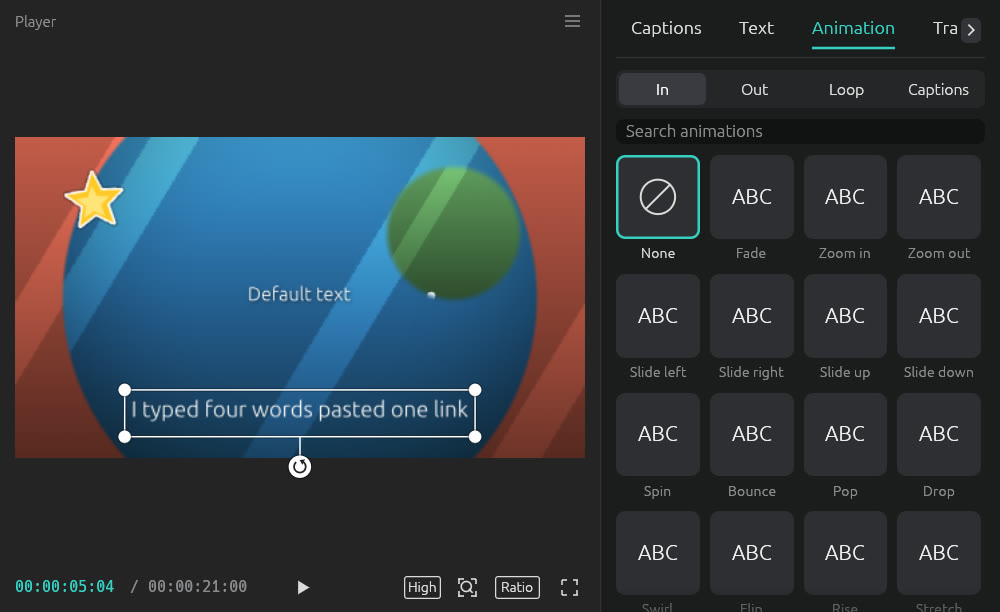
Word-timed captions
Transcribe speech on your PC and get captions timed to every word, then style them with templates and animations.
- Caption animations 200
- Urdu and English in one line Right to left
- Filler-word removal, find and replace Editing
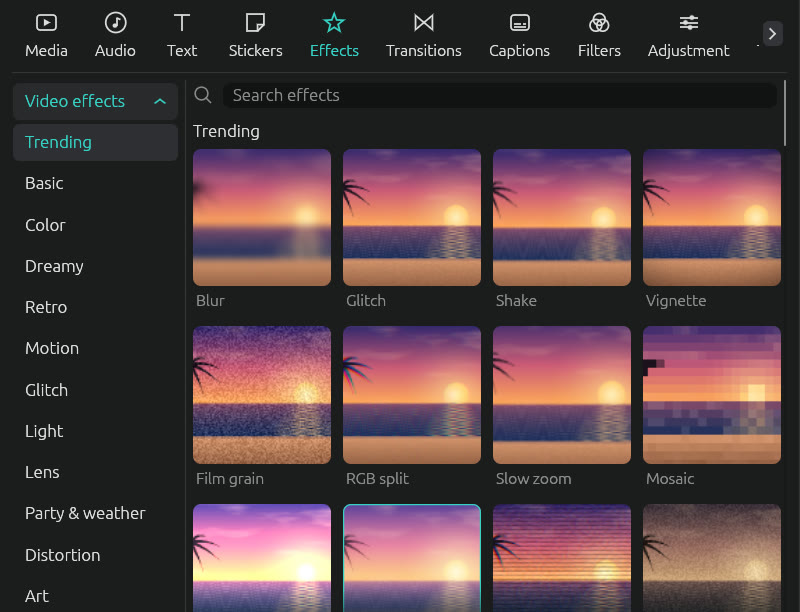
Effects, filters, colour
Drop looks onto any clip and see them live. Fine-tune with colour wheels, curves, HSL and LUTs.
- Video effects 95
- Transitions 94
- In, out and combo animations 75
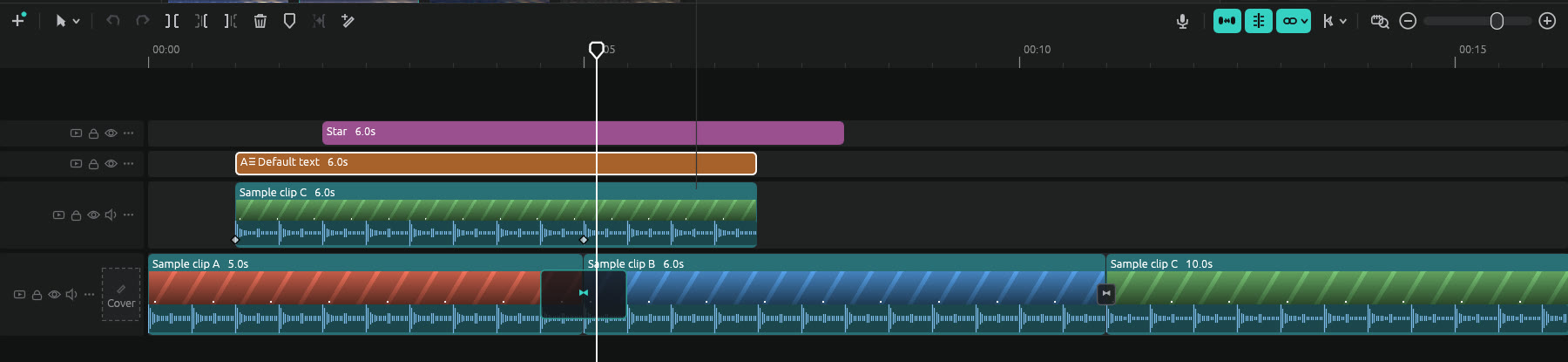
A timeline that keeps up
Stack video, text, sticker and audio tracks with keyframes, speed curves, groups, markers and beat snapping. Native code, so it opens fast on an everyday laptop.
Built in.
Not bolted on.
Voiceover from the voices already in Windows.
Remove backgrounds on your PC, or key out a green screen.
Even out exposure, loudness and voice across every clip.
Pin text to a moving subject; shape masks with feathering.
Capture your screen or a voiceover straight into the project.
Uses Intel, NVIDIA or AMD video encoders when your PC has one.
MP4 or MOV, GIF, audio only and SRT captions, with platform presets.
Bring in unencrypted CapCut desktop projects and keep editing.
Always
current.
New features ship often. The app checks once a day, shows Update now when a version is ready, confirms the download is genuine, and installs it when you close the app. You never reinstall by hand.
Windows installer, automatic updates, ffmpeg included.
290 font styles; Urdu text and captions joined and right to left.
200 caption animations; new player controls and on-canvas handles.
Up and running
in a minute.
Download
Get the installer from any button on this page. It includes everything the app needs.
Open it
If Windows shows "Windows protected your PC", click More info, then Run anyway. No administrator password needed.
Start editing
Find AICE Video Studio in the Start menu. Updates arrive on their own from then on.